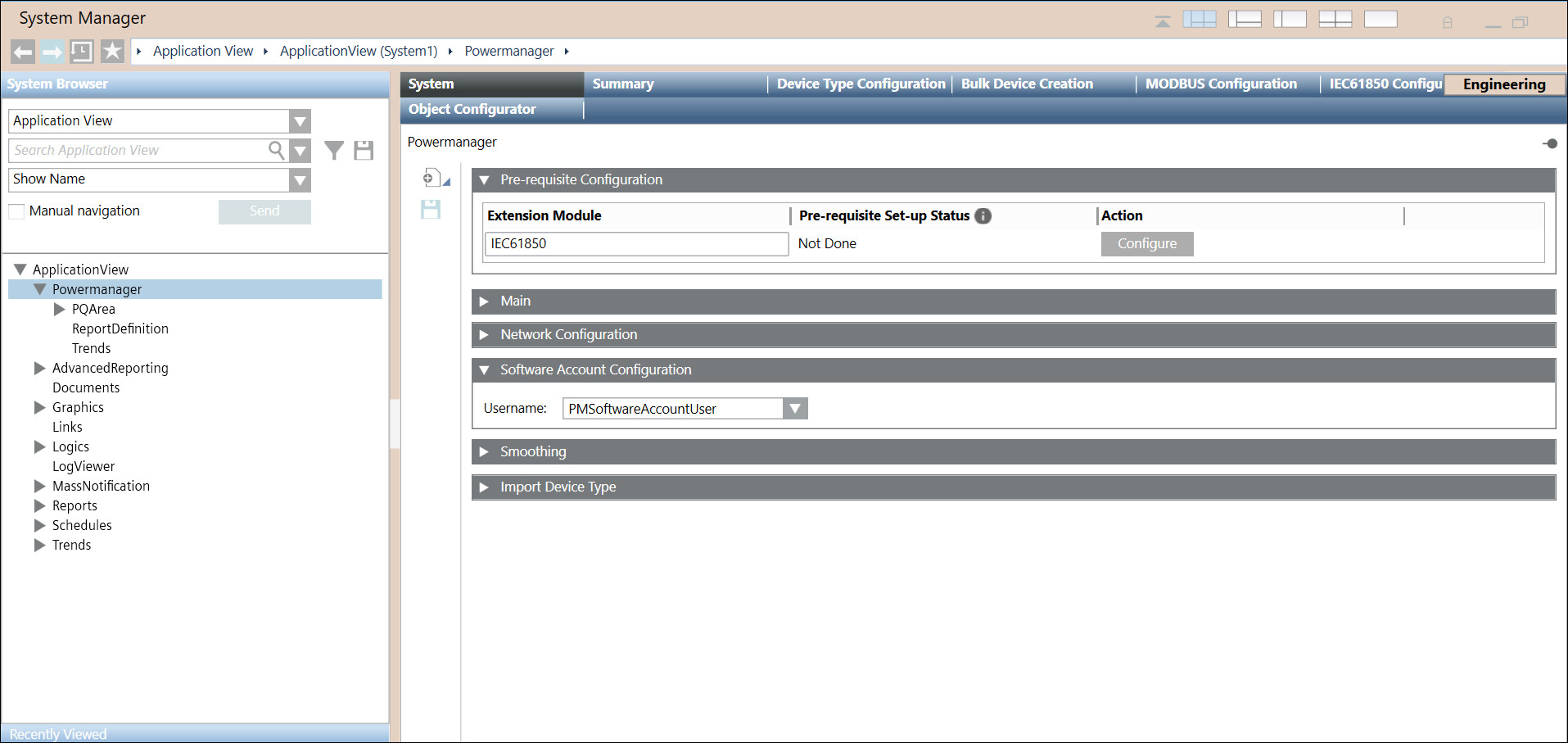
Assigning Software Account to PowerQuality
- You have created a Software Account. Refer New Software Account User.
- You have added PowerQuality and IEC61850 extension modules to project.
- System Manager is in Engineering mode.
- System Browser is in Application View.
- Select Application View > Powermanager.
- Navigate to System tab, and Software Account Configuration expander.
- Select Software account from drop down.
- Click Save
 .
.
- Software Account is assigned to PowerQuality.